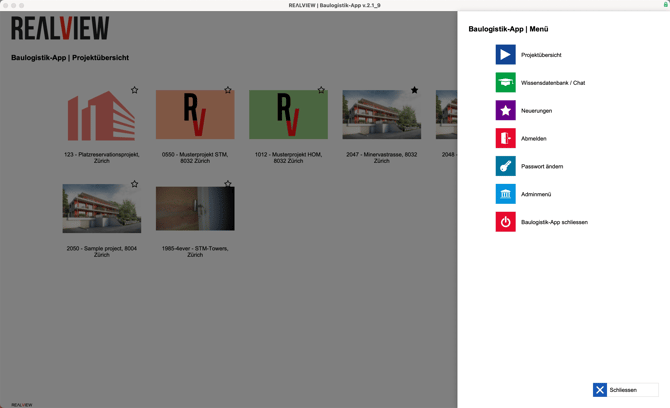
You can open the side menu using the three-line icon or by clicking the logo in the top left corner. From here, you have quick access to various functions.
- No matter where you are in the tool, you can return directly to the Project Overview.
- Opens the Knowledge Base and/or Chat in a separate window.
- Shows you the What's New information from the latest update.
- Allows you to sign out of Construction Logistics.
- Here you can change your password.
- The Admin Menu allows you to configure various company-wide settings. This option is only available to superusers!
- Closes Construction Logistics and returns you to the start page.